Rebuild your venv
rm -rf venv # remove folder
python3 -m venv venv
source venv/bin/activate
pip install -r requirements.txt
But before that
Or what I did over the Christmas holidays. But I don't remember where I took notes. Maybe I treated it as work related? Well it's not. I got my host to upgrade my server so I can run python because I wanted too... when I remember this I'll be able to figure out where my notes are. I need to know which memory door to open.
It seems like comics was a fix for a long standing issue I have of not having enough comics in my life. Why is that such a difficult problem. Well, for the source of income to the artists I suspect. But how do I read comics now? My online newspapers don't have them.
So what I wanted the python for was to create a feed reader display.
source /home/eckfordc/virtualenv/comics.eckford.ca/3.8/bin/activate && cd /home/eckfordc/comics.eckford.ca
But I'm getting the infamous 500 Internal Server error. So I better head over to the app.py and figure what's up.
Where was I?
  66  2026-01-01 15:44:11 source /home/eckfordc/virtualenv/tunes.eckford.ca/comics/3.7/bin/activate && cd /home/eckfordc/tunes.eckford.ca/comics
  82  2026-01-01 16:48:08 ls -d ~/virtualenv/*
  86  2026-01-01 16:52:08 ls ~/virtualenv/tunes.eckford.ca/comics/3.7/
  87  2026-01-01 16:55:37 ls ~/virtualenv/tunes.eckford.ca/comics/3.7/lib/python3.7/encodings
  89  2026-01-01 16:58:14 ls ~/virtualenv/tunes.eckford.ca/comics/3.7/lib/python3.7/site-packages/
  92  2026-01-01 20:57:09 source /home/eckfordc/virtualenv/tunes.eckford.ca/comics/3.7/bin/activate && cd /home/eckfordc/tunes.eckford.ca/comics

source /home/eckfordc/virtualenv/tunes.eckford.ca/comics/3.7/bin/activate && cd /home/eckfordc/tunes.eckford.ca/comics

 198  2026-01-02 03:38:04 /home/eckfordc/virtualenv/comics.eckford.ca/3.8/bin/python -c "import sys; print(sys.version)"
And apparently I had to upgrade the python. That was probably just before I quit. Holiday over.
So the first project is fred. So the python notes are on fred. user is probably fred.
I think I'll go check fred now. Hi there fred. Long time no see.
ML Engineering was it? Semantics. Yes
Flask. It was Flask that I am trying to setup. I bet the comic site is flask. The trail of crumbs led to the source. And it's Flask. Apparently that was a note to myself sent from a previous enjoyable project and I want to do it again.
What a refreshing thought. There are environments other than MediaWiki. Thats why mediawiki is a seperate site. Obviously.
Do I come back to the Flask env for a quick peek and a Hello. Take a look-see for a logfile maybe if it's in the working dir
[eckfordc@s12751 3.8]$ source /home/eckfordc/virtualenv/comics.eckford.ca/3.8/bin/activate && cd /home/eckfordc/comics.eckford.ca
((comics.eckford.ca:3.8)) [eckfordc@s12751 comics.eckford.ca]$ ll
total 260
drwxr-xr-x 2 eckfordc eckfordc   4096 Jan 10 03:33 __pycache__
-rw-r--r-- 1 eckfordc eckfordc    154 Jan 10 03:28 app.py
drwxr-xr-x 2 eckfordc eckfordc   4096 Jan  2 20:26 cgi-bin
-rw-r--r-- 1 eckfordc eckfordc      0 Jan  2 04:16 imported_pip_requirements.txt
-rw-r--r-- 1 eckfordc eckfordc    197 Jan 10 03:48 passenger_wsgi.py
drwxr-xr-x 2 eckfordc eckfordc   4096 Jan  1 04:06 public
drwxr-xr-x 2 eckfordc eckfordc   4096 Jan 10 03:00 static
-rw-r--r-- 1 eckfordc eckfordc 230842 Jan 24 00:35 stderr.log
drwxr-xr-x 2 eckfordc eckfordc   4096 Jan 10 02:57 templates
drwxr-xr-x 2 eckfordc eckfordc   4096 Jan  1 04:06 tmp
((comics.eckford.ca:3.8)) [eckfordc@s12751 comics.eckford.ca]$
Traceback (most recent call last):
  File "/home/eckfordc/comics.eckford.ca/passenger_wsgi.py", line 8, in <module>
    from app import app as application
  File "/home/eckfordc/comics.eckford.ca/app.py", line 1, in <module>
    from flask import Flask
ModuleNotFoundError: No module named 'flask'
Traceback (most recent call last):
  File "/home/eckfordc/comics.eckford.ca/passenger_wsgi.py", line 8, in <module>
    from app import app as application
  File "/home/eckfordc/comics.eckford.ca/app.py", line 1, in <module>
    from flask import Flask
ModuleNotFoundError: No module named 'flask'
[UID:1074][1685259] Child process with pid: 1685284 was killed by signal: 15, core dumped: no
Traceback (most recent call last):
  File "/home/eckfordc/comics.eckford.ca/passenger_wsgi.py", line 8, in <module>
    from app import app as application
  File "/home/eckfordc/comics.eckford.ca/app.py", line 1, in <module>
    from flask import Flask
ModuleNotFoundError: No module named 'flask'
[UID:1074][1685259] Child process with pid: 1685285 was killed by signal: 15, core dumped: no
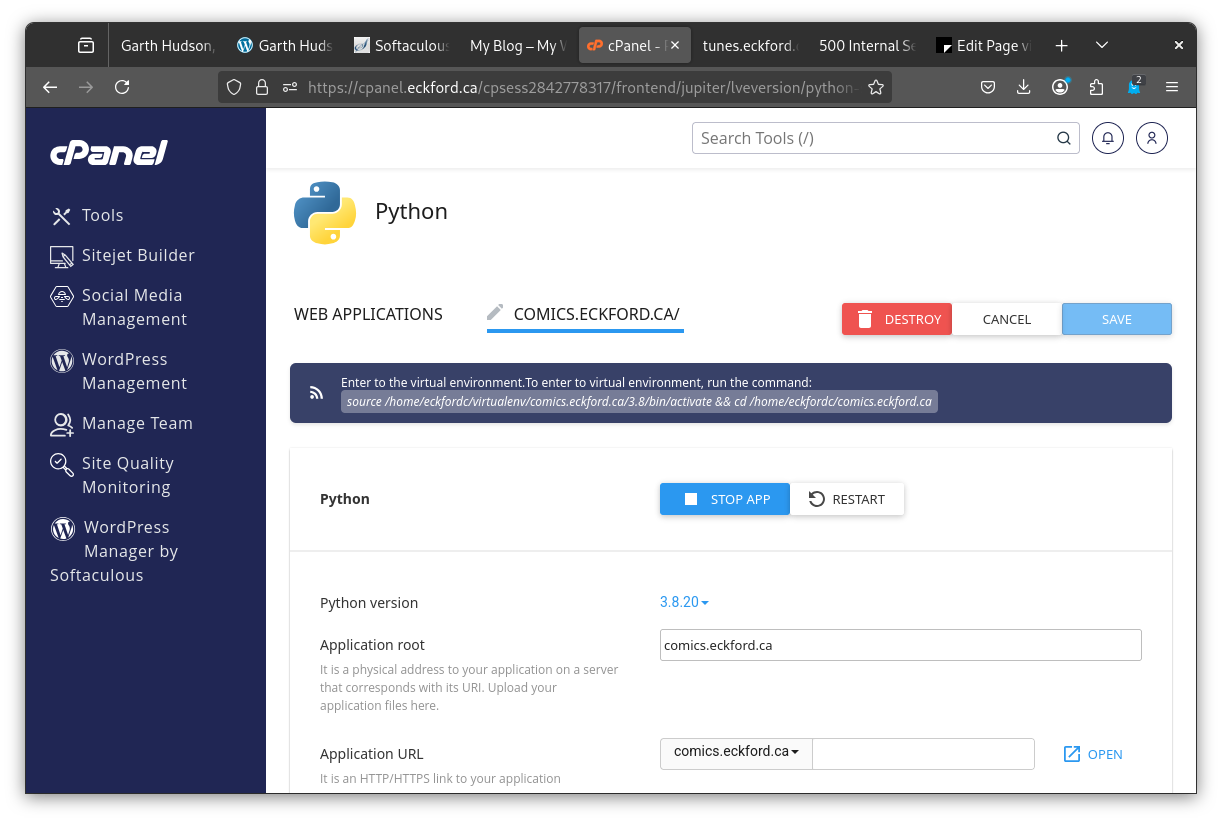
This must have been as far as I got with Python under cPanel. I guess I wonder if there isn't a better way. Let's see.
((comics.eckford.ca:3.8)) [eckfordc@s12751 comics.eckford.ca]$ python -c "import sys; print(sys.version)"
3.8.20 (default, Sep  7 2024, 00:00:00)
[GCC 11.4.1 20231218 (Red Hat 11.4.1-3)]
Much better. Now lets go exploring...
app.py
Just like I remembered. The quitting place.
from flask import Flask
app = Flask(__name__)

@app.route('/')
def index():
    return "�~\~E Flask is alive!"

# Required for Passenger
application = app

~
The python was running. The flask was not. For a job like this we need command line.
and venv
source /home/eckfordc/virtualenv/comics.eckford.ca/3.8/bin/activate && cd /home/eckfordc/comics.eckford.ca
See you on fred.